On April 17, 2026, Anthropic launched Claude Design, and Figma’s stock dropped 7 percent within hours. That reaction from Wall Street tells you something important. This is not another incremental AI feature update. This is a tool that the market immediately recognized as a genuine shift in who can create professional visual work, and how fast they can do it.
Claude Design is Anthropic’s new AI-powered visual creation tool, built directly into Claude.ai and powered by Claude Opus 4.7, the company’s most capable vision model. It lets anyone (founders, marketers, product managers, and business owners without a design background) go from a text prompt to a polished prototype, pitch deck, slide presentation, one-pager, or UI mockup in minutes. No design software required. No waiting on a designer. No navigating a tool that takes months to learn.
For small businesses, the implications are significant. The barrier between having an idea and being able to show that idea visually has just dropped dramatically. Here is what Claude Design does, who it is for, and what it means for how you market and run your business.
What Claude Design Actually Does
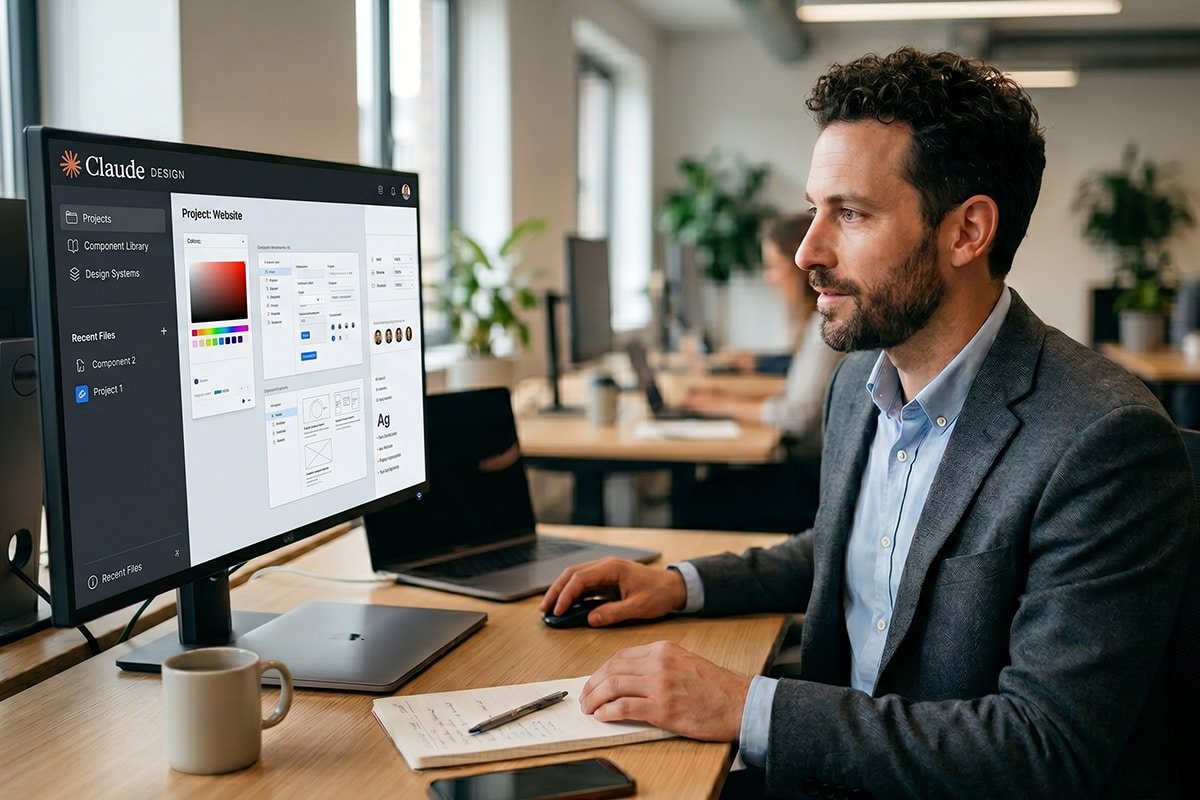
The core workflow is straightforward. You describe what you want to create in plain language, and Claude generates a working first version on a canvas. From there, you refine it through conversation. You can comment inline on specific elements, edit text directly, use adjustment controls to tweak spacing, color, and layout, or simply ask Claude to apply changes across the entire design.
You are not limited to starting from a text prompt. You can upload images, documents, spreadsheets, or existing presentations. You can point Claude at your website, and it will capture your visual style directly. You can link a code repository, and Claude will understand your existing components and build prototypes that actually look like your product.
One of the most useful features for teams is the design system. During setup, Claude reads your existing brand files and codebase to build a design system (your colors, typography, and visual components) that automatically applies to every project you create. Once it is set up, you never have to manually match your brand in a design again. Everything Claude creates for you is on-brand from the first prompt.
When a design is finished, you can export it in multiple formats (PDF, PowerPoint, standalone HTML, or directly to Canva where it becomes fully editable and collaborative). Designs can also be handed off to Claude Code, Anthropic’s AI coding tool, which packages everything into a bundle that can be turned into a working, built product with a single instruction.
Claude Design is currently available as a research preview for Claude Pro, Max, Team, and Enterprise subscribers. It is not available on the free tier, and usage is tracked separately from your regular Claude chat limits, meaning it does not eat into your existing message allowance.
Why This Matters for Small Business Owners
For large companies with dedicated design teams, Claude Design is a speed and exploration tool. For small businesses without dedicated designers, which describes the majority of businesses in any local market, it is something more fundamental. It removes a bottleneck that has historically required either hiring expensive creative help or accepting lower quality visual output.
Think about the visual work that most small businesses need but rarely have the resources to execute well: a polished one-pager for a sales meeting, a presentation for a potential investor or partner, a prototype to show a client before a project begins, a landing page concept, a social media campaign layout, a proposal that looks as professional as the service behind it. These are all things that Claude Design can now produce from a text description in minutes.
The early results from businesses that tested the tool in preview are striking. Datadog’s product team reported compressing what had been a week-long cycle of briefs, mockups, and review rounds into a single Claude Design conversation. The education company Brilliant found that its most complex pages (ones requiring 20 or more prompts in competing tools) needed only two prompts in Claude Design. Those are not edge cases. They reflect what happens when a tool is genuinely designed for the user rather than for the craft.
For a small business owner in Brick or Toms River preparing a pitch for a new account, a proposal for a service partnership, or a presentation for a community event, Claude Design represents hours of work compressed into minutes, and a professional quality output that would previously have required a freelance designer or a dedicated creative tool with a steep learning curve.
What You Can Build With It
Anthropic has been specific about the use cases Claude Design is built for. Here are the most relevant ones for small business owners and marketers:
- Pitch decks and presentations. Go from a rough outline to a complete, on-brand deck in minutes, then export directly as a PowerPoint file or send it to Canva for final polish. For business development, client presentations, or investor conversations, this alone is transformative.
- One-pagers and marketing materials. Service overviews, capability statements, event flyers, and promotional one-pagers. The kind of leave-behind that often goes undesigned because it requires more production effort than a small team can justify. Claude Design makes these fast enough to actually happen.
- Wireframes and mockups. For businesses thinking about a website redesign or a new service page, Claude Design can produce a visual concept to react to and refine before any developer time is spent. Seeing a direction visually, even as a rough prototype, changes the quality of every conversation that follows.
- Social media assets and campaign visuals. Layouts for social content, promotional graphics, and campaign visuals that maintain brand consistency without requiring a designer to produce each one individually.
- Interactive prototypes. For businesses working on digital products, Claude Design can turn static mockups into shareable, interactive prototypes for gathering feedback, without any code review or technical overhead.
Where Claude Design Fits in the AI Landscape
Claude Design is the latest product in what Anthropic has been building as a full-stack AI ecosystem. Claude Code handles development and engineering tasks. Claude Cowork handles complex agentic workflows. Claude Design handles visual creation. Together they represent Anthropic’s vision of covering the entire arc from a rough idea to a finished, built, and shipped product, all within one AI system.
Anthropic has been clear that Claude Design is intended to complement existing design tools rather than replace them outright. The integration with Canva is the most explicit signal of this. Designs created in Claude can be exported directly into Canva where they become fully editable, collaborative files ready to publish. That is a partnership, not a competition.
The market’s reaction (such as Figma’s 7% stock drop the day of the announcement) reflects a more complicated reality. Claude Design is genuinely capable enough that it changes what professional design tools need to justify. For the majority of small business visual work, the question is no longer whether AI can produce something useful. It is whether the output is good enough for the purpose. And for most of what small businesses actually need, the answer is yes.
It is worth noting that Claude Design launched on April 17, 2026, and is still in research preview. Anthropic has flagged a handful of early limitations, such as occasional issues with inline comment persistence, some behavior in compact view mode, and lag when linking very large code repositories. These are the normal friction points of a preview product, and Anthropic has indicated that integrations with additional tools are coming in the weeks ahead. The trajectory is clear even if the product is still maturing.
How to Get Started
Claude Design is currently available to Claude Pro, Max, Team, and Enterprise subscribers. If you are already on one of those plans, look for the palette icon in the left-hand navigation sidebar of Claude.ai. That is the entry point for Claude Design.
For Enterprise users, the feature is off by default and needs to be enabled by an admin. For everyone else on eligible plans, it is rolling out gradually and should be accessible within your current subscription.
Anthropic’s own guidance on prompting is practical: be specific about what you are building, who it is for, and what matters most. A good Claude Design prompt includes the goal, the layout, the content, and the audience. The more context you give it, the more useful the first version will be, and the less iterating you will need to do to get to something you can use.
For businesses that do not yet have a Claude subscription, this is a meaningful moment to evaluate whether one makes sense. Claude Design is one piece of a growing ecosystem that now covers AI writing, research, coding, agentic task management, and visual creation, all within a single platform. The question for most small businesses is not whether AI tools will become part of how they operate, but which ones and when.
Key Takeaways
- Claude Design launched on April 17, 2026 as a research preview. It is available to Claude Pro, Max, Team, and Enterprise subscribers and is powered by Claude Opus 4.7, Anthropic’s most capable vision model.
- It turns text prompts into polished visual work. Pitch decks, prototypes, one-pagers, wireframes, social media assets, and presentations. All from a conversation with Claude, with no design background required.
- The design system feature is a game-changer for brand consistency. Claude reads your existing brand files and applies your colors, typography, and components automatically to every project, eliminating the manual work of matching your brand in every new design.
- Export goes anywhere you need. PDF, PowerPoint, Canva, standalone HTML, or directly to Claude Code for development handoff. Claude Design fits into existing workflows rather than replacing them.
- For small businesses, this removes a long-standing bottleneck. Professional visual work that previously required a designer or a steep learning curve can now be produced in minutes from a text description. That changes the economics of marketing for businesses operating without dedicated creative staff.
FAQs About Claude Design
Is Claude Design free to use?
Claude Design is not available on Anthropic’s free tier. It is currently accessible to Claude Pro, Max, Team, and Enterprise subscribers as a research preview. Importantly, Claude Design has its own separate usage tracking that sits alongside (not inside) your existing chat or Claude Code limits. You are not trading message credits to use it. Enterprise users should note that the feature is off by default and needs to be enabled by an organization admin.
Does Claude Design replace tools like Canva or Figma?
Anthropic has positioned Claude Design as complementary to existing design tools rather than a direct replacement. The direct integration with Canva (where Claude Design exports become fully editable, collaborative Canva files) is the clearest expression of that philosophy. For professional designers who rely on Figma for complex production work, component libraries, and team design systems at scale, Claude Design does not replace that workflow today. For the majority of small business visual needs (such as presentations, proposals, marketing materials, and prototypes), it is capable enough to handle the job independently.
What is the best way for a small business to start using Claude Design?
Start with the visual work that has historically taken you the most time or required outside help. A pitch deck for a new business development conversation, a one-pager summarizing your services, or a mockup for a website page you have been meaning to update are all strong first projects. Be specific in your prompts. Describe what you are building, who it is for, what content it needs to include, and what impression you want it to leave. The more context Claude has upfront, the more useful the first version will be and the less iteration you will need to reach something ready to use.
At Resolution Promotionsv, staying ahead of AI tools like Claude Design is part of how we build smarter marketing systems for our clients. If you want to understand how emerging AI capabilities can be applied to your business, and which ones are actually worth your time, let’s talk.